Rummy Safety: What to Check Before Using Public Wi-Fi
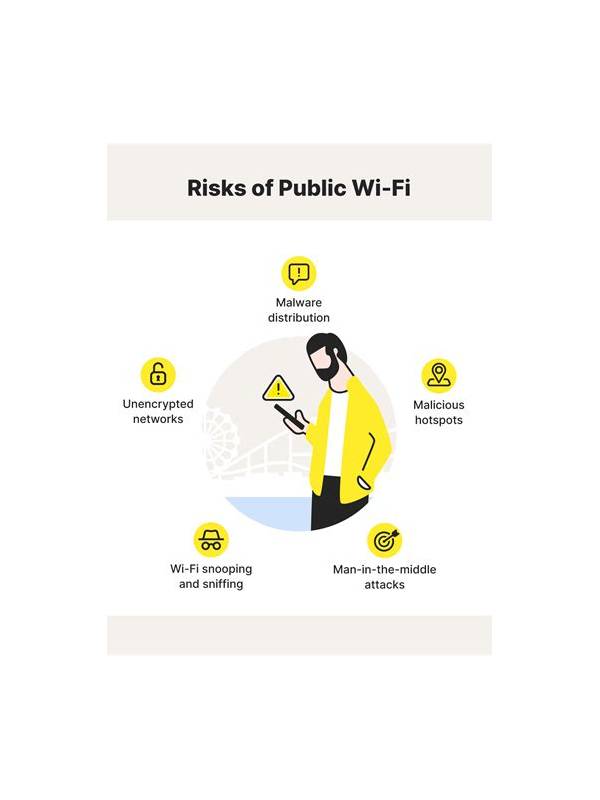
Public Wi-Fi can be convenient, but it adds uncertainty to any session involving an account or payment information. A few simple checks help you decide whether the environment is suitable for casual practice and whether sensitive account actions should wait.
Identify the network
Confirm the network name with the venue instead of choosing a similarly named signal. Fake networks may imitate a café, hotel, or airport. If the connection requires unusual downloads, browser extensions, or personal details beyond normal access, stop and reconsider.
Use your device’s built-in connection indicators and avoid treating a strong signal as proof of safety. Signal strength describes distance from the access point, not the trustworthiness of the network.
Separate play from account actions
If you must use public Wi-Fi, keep the session limited to low-risk activities. Avoid changing passwords, entering payment details, uploading identity documents, or handling withdrawals on an untrusted connection. Those actions can wait for a private network or a trusted mobile connection.
Make sure the app and operating system are current before traveling. Updates should come from official device channels. Do not install a “security helper” offered by a pop-up or an unknown website.
Protect the screen and session
People nearby may be able to see account names, balances, or private chat messages. Choose a position with limited shoulder-surfing risk, lock the device when you step away, and sign out if the device is shared. Turn off notification previews if they could display personal information.
If the connection repeatedly drops, do not keep retrying sensitive actions. A timeout or duplicate submission can create confusion. Wait for a stable connection, then check the account history before attempting anything again.
Public Wi-Fi is not automatically unsafe, but it deserves a narrower session boundary. Use it for ordinary play only when the environment is credible, keep private information out of view, and postpone important account operations until conditions are better.
When the network is not needed, turn it off rather than allowing the device to reconnect automatically later. Review which applications can use background data, especially if the device is shared. These small maintenance steps do not make a public connection private, but they reduce accidental exposure and help you keep the session within its intended limits.
For a long session, keep a charged device and a backup connection in mind, but do not switch between networks during a sensitive action. Finish or cancel the action, confirm its status, and only then reconnect. Clear sequencing reduces duplicate attempts and makes any later support conversation easier to explain.