Rummy Safety: Verify Account Access After Changing Your Phone Number
Changing a phone number can affect sign-in codes, recovery messages, payment alerts, and device verification. Whether the change is permanent or temporary, treat it as an account-maintenance task rather than something to solve in the middle of a game. A few careful checks can reduce the chance of using the wrong profile or missing an important security notice.
Confirm the account identity
Use the service’s normal sign-in route and check the account name or identifier shown in the profile area. Do not assume that a successful login proves you opened the intended account; a saved session or second profile may load without much warning. If the displayed details are unfamiliar, stop and use the official help process instead of creating a new account immediately.
Update recovery details through official settings
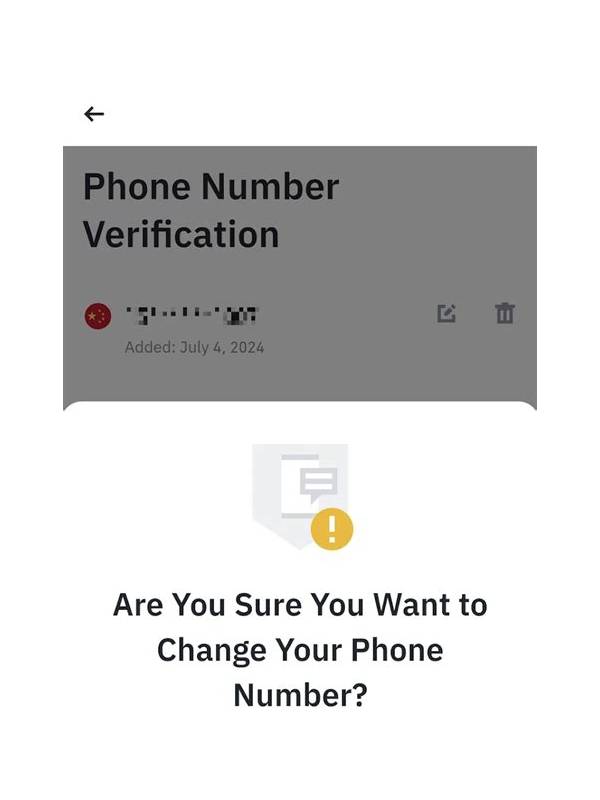
If the service supports changing a phone number, use its account or security settings. Read the confirmation screen carefully before submitting. A legitimate process may require a code sent to the new number, a current password, or another approved verification step. Do not send a code to another person because they claim to be support, and do not enter recovery information into a link received unexpectedly.
Check whether the old number remains listed as a recovery method. If you no longer control it, remove it when the service allows this and add another approved recovery method. Keep the new details private. Account recovery information should not be posted in chat, screenshots, or public notes.
Review sessions and alerts
After the change, inspect the list of signed-in devices if one is available. Sign out of devices you do not recognize and change the password through the official settings page if anything looks wrong. Review recent sign-in notifications, profile changes, and transaction history. A missing alert does not prove that everything is safe, but an unfamiliar event is a reason to pause activity and contact verified support.
Avoid rushed play
Do not test the new sign-in by making a hurried deposit, withdrawal, or table entry. First confirm that your profile, balance display, notifications, and recovery details look normal. If a payment is pending or the account screen behaves unexpectedly, save the reference shown by the official service and ask support for clarification. Avoid repeating a transaction simply because the first result is unclear.
Once access is confirmed, enable device protection and keep the application updated from a trustworthy source. A phone-number change is complete when you can identify the correct account, control its recovery path, and explain any active sessions—not merely when a login screen accepts a code.