Rummy Safety: Keep Sessions Private on Shared Devices
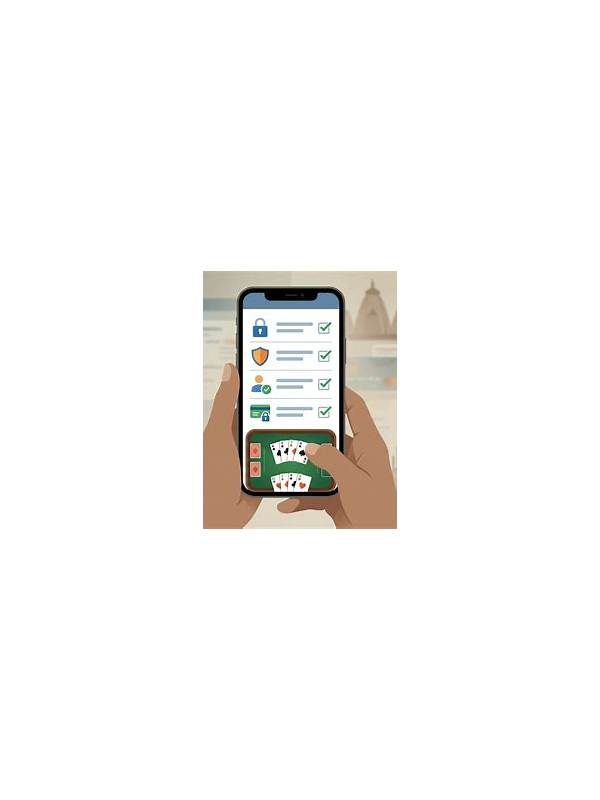
Shared devices create risks that are easy to overlook. Another person may see notifications, saved sessions, downloaded files, or autofilled information. Before using a shared phone or computer for a rummy account, consider what remains visible after you close the app. Good account safety begins with controlling access to the device itself.
Use a separate device profile or guest mode when the operating system provides one. Sign out when finished, and do not enable password saving in a browser that other people use. If the app offers a session list, review it and remove old sessions where appropriate. A screen lock is helpful, but it should not be the only protection for an account containing personal or payment information.
Check notifications. A message preview may expose a username, balance, or transaction detail on the lock screen. Set sensitive notifications to private or disable previews before a shared session. Also review screenshots and downloads. Images of identity documents, payment confirmations, or support conversations should not remain in a public gallery or shared folder.
Be cautious with links sent through chat or email. Open the service through a trusted, typed address or a verified app listing instead of relying on an unexpected “bonus” or “urgent verification” link. Never give a one-time code or password to someone who claims to be support. Official support will not need your secret login details. If a prompt asks for unusual access, pause and verify it through a known channel.
Finally, review account activity after using a shared device. Look for unfamiliar sessions, changes to contact details, or transactions you did not initiate. If something looks wrong, change the password from a trusted device and contact the service through its official help route. Keep play within a budget and take normal breaks; privacy and financial safety are part of a healthy session.
If the device belongs to a workplace, hotel, family member, or public venue, assume that local settings may not be under your control. Avoid entering payment details when you cannot verify who manages the device. A private browser window can reduce history, but it does not make a compromised device trustworthy. Use a personal device for sensitive account changes whenever possible.
When you finish, clear temporary downloads and close the session. Do not photograph passwords or codes for convenience. If another person needs the device immediately, lock it first and confirm that no account screen remains visible. These small habits reduce the chance that a normal game session exposes information.
A shared device may also retain clipboard contents, browser history, or downloaded receipts. Treat those areas as public unless you can verify otherwise. Prefer entering sensitive information only on a trusted personal device, and delete temporary files after use. If an account supports session management, review active devices regularly and remove anything unfamiliar.